
Free beta for Windows
Lilloweb is a Chromium browser with a workspace for each project, a developer dock beside the page, and an agent that can work in your tabs.
Version 0.2.1 · 132 MB · Windows, 64-bit · Free during the beta
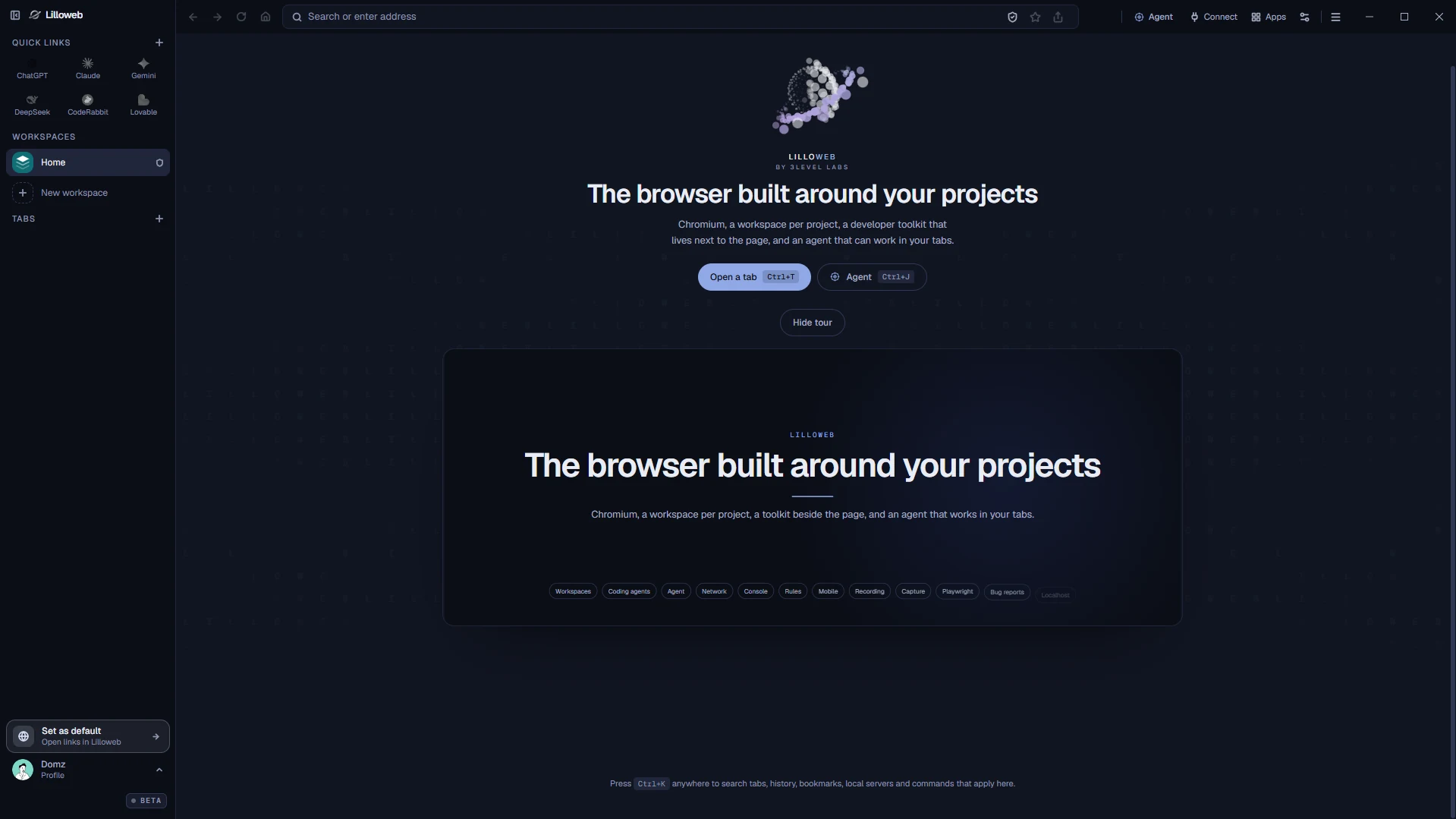
Workspaces
One workspace for each project.
Keep a project's tabs and quick links together, and switch to another project without losing your place. Your tabs live in the sidebar, so the window stays clear for the page. Fold the sidebar away, and move the pointer to the left edge to bring it back.
- Quick links for the sites you open every day.
- Several workspaces in one window.
- Pin the sidebar open, or let it hide.
- Closes instantly, restores permanently. Your tabs stay right there even if you exit the browser.
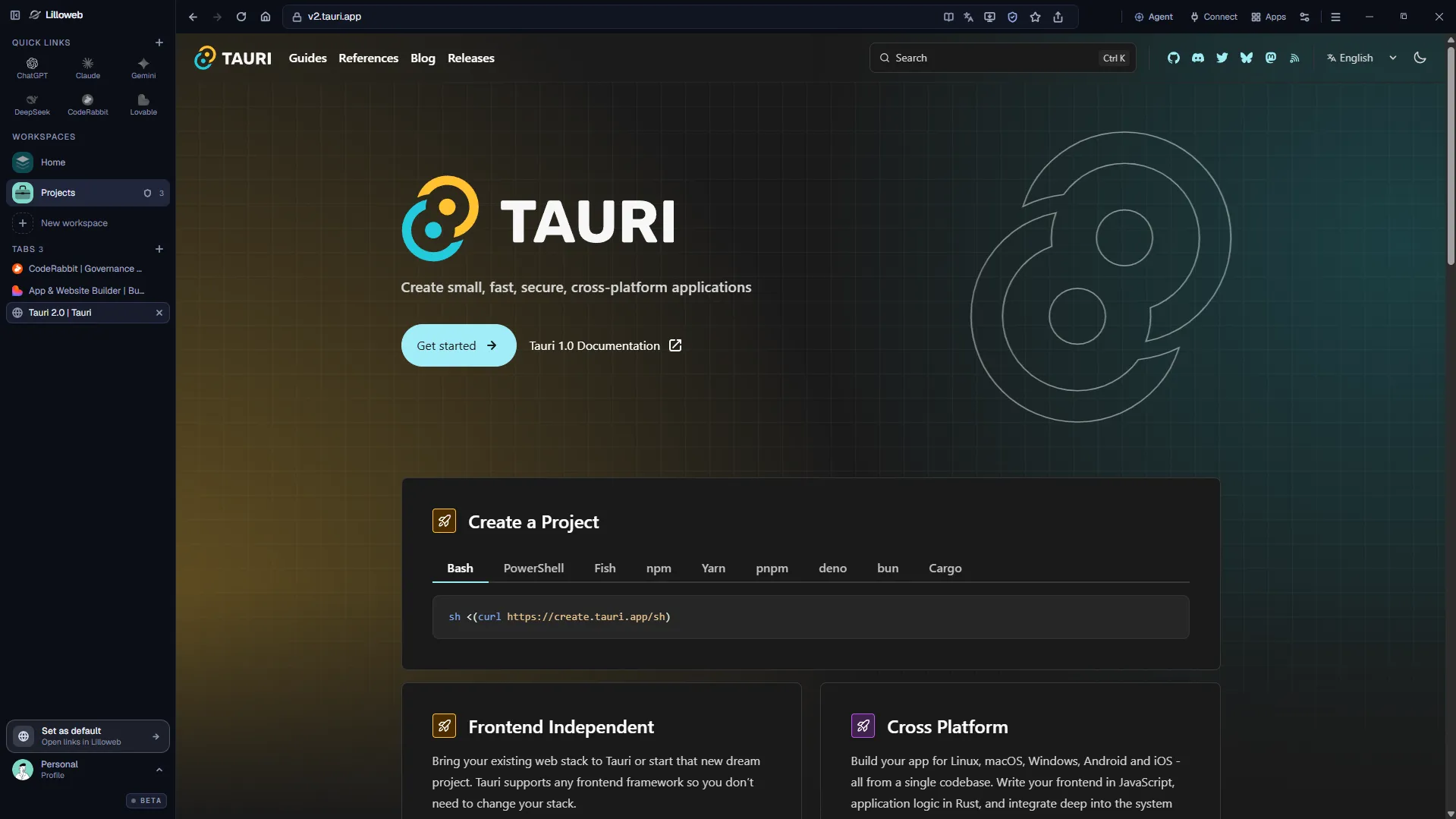
Accounts
Each workspace keeps its own logins.
The same site can be open in several workspaces at once, with a different account signed in to each. Logins stay inside the workspace where you made them, so one account never signs you out of another, and you do not log out just to switch.
- Work and personal accounts open at the same time.
- The same site in several workspaces, one account in each.
- Switch accounts by switching workspaces.
- Works on any site that asks you to sign in.
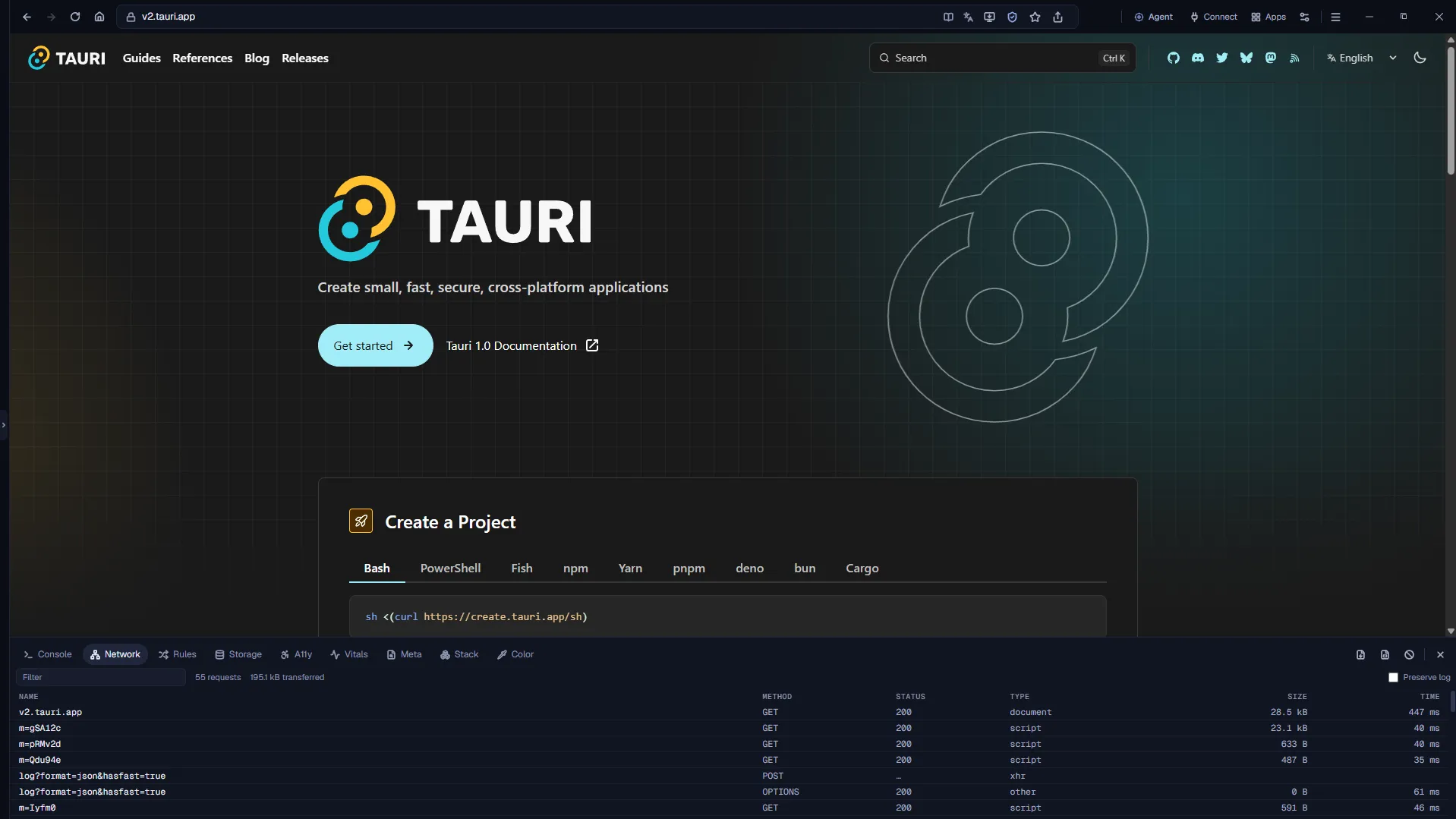
Developer dock
The tools sit next to the page.
Network, console, storage, Web Vitals, accessibility checks and mock rules open beside your tab, so you do not switch windows to see what a page is doing. Pick any pixel and read the page's palette and contrast. See what a page is built with, and which versions. Simulate phones and tablets with real frames, touch and throttling.
- Record what you do in a tab as a Playwright test.
- Capture a full page and annotate it.
- Record a tab as video or GIF, then polish it into a demo.
- Turn live traffic into an OpenAPI spec.
Agent
Let an agent work in your tabs.
The built-in agent.
Open the Agent panel and ask it to read or operate the page beside you. It uses your own key from the model provider you choose, and you decide how much it asks before it acts.
Your coding agent.
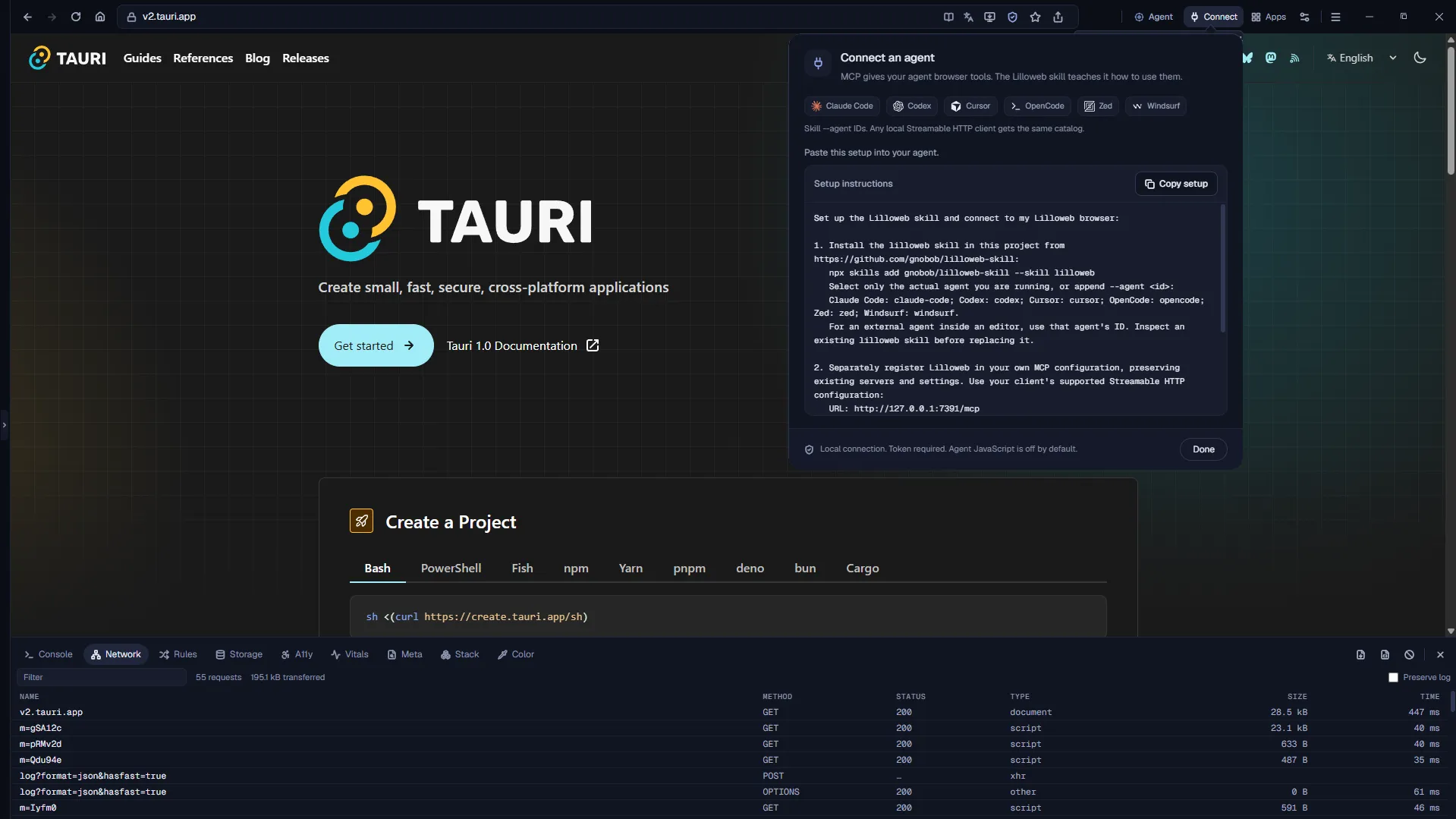
Lilloweb runs a local MCP server. Connect Claude Code, Codex, Cursor, OpenCode, Zed or Windsurf, and it can read and operate your tabs. Open Connect, choose Copy setup, and paste it into your agent.
Local connection. Token required. Agent JavaScript is off by default.
The basics are built in.
- Import.
- Bring bookmarks, history and logins from other browsers.
- Passwords and forms.
- Saved logins and form entries, kept in your system's secure store.
- Extensions.
- Load Chrome extensions.
- Ads and trackers.
- Blocking is off until you turn it on.
- Live subtitles.
- Captions for any video, transcribed on your computer.
- Library.
- Bookmarks, history, downloads and recordings, by profile.
- Profiles.
- Keep work and personal browsing apart.
- Device simulation.
- Preview the page on phones and tablets with real frames, touch and throttling.
- Color picker.
- Pick any pixel and read the page's palette and contrast.
- Screen capture.
- Capture the full page, or record a tab as video or GIF, then annotate it.
Free during the beta
Try it free. Pay once if you keep it.
Lilloweb is free while it is in beta. The free beta runs until December 7, 2026. After that, Lilloweb will be a one-time purchase, with no subscription. We will announce the price before the beta ends. When you update, your tabs, bookmarks, passwords and settings stay on your computer.
Version 0.2.1 · 132 MB · Windows, 64-bit · Free during the beta
Roadmap
What we are working on next.
These are directions, not promises or dates. None of them is in the beta.
- Planned
Team workspaces.
Invite people to a workspace and see who is in it.
- Planned
Connected browsers.
With permission, work in a browser on a teammate's computer, inside a workspace you share. It asks first, needs a key, shows who is connected, and reaches the browser only, not the desktop.
- Planned
Share your agent.
Let a teammate send a prompt to the agent on your computer. It runs with your key, and the key never leaves your machine.
- Planned
Test on another computer.
Open a link in a browser on a different computer or network to see what people there see.
- Planned
Update notices.
Lilloweb tells you when a new version is ready.
Download Lilloweb for Windows.
- Version
- 0.2.1
- Released
- November 9, 2026
- Size
- 132 MB
- Requires
- Windows, 64-bit
- SHA-256
- C325CD84EE667CF1EB0B37C34A230E7FA0CD01EE5209ADBCE735796A45C9C268
Version 0.2.1 · 132 MB · Windows, 64-bit · Free during the beta
What to expect
- 1.Run the installer.
- 2.If Windows shows "Windows protected your PC", choose More info, then Run anyway. The installer is not code-signed yet.
- 3.Open Lilloweb and follow the short setup.
Get-FileHash .\Lilloweb-Setup.exe -Algorithm SHA256Compare the result with the SHA-256 above.
Is Lilloweb free?
It is free during the beta. The free beta runs until December 7, 2026. After the beta, Lilloweb will be a one-time purchase, with no subscription. We will announce the price before the beta ends.
What happens when the beta ends?
Lilloweb asks you to download the next version. Your tabs, bookmarks, passwords and settings stay on your computer, and are there when you update.
Does it run on macOS or Linux?
Not yet. Windows comes first.
Why does Windows warn me before installing?
The installer is not code-signed yet, so Windows does not recognise it. Choose More info, then Run anyway. You can check the file against the SHA-256 on this page first.
Is Lilloweb open source?
No. Lilloweb is proprietary software by 3Level Labs. It is based on Dive, which is MIT licensed, and built on Chromium. See Notices.
What does Lilloweb collect?
Lilloweb has no accounts and no analytics. Your tabs, bookmarks, passwords and settings stay on your computer, and crash reports stay on your computer. What you send to the Agent goes to the model provider you chose, using your key.
How do I connect my coding agent?
Open Connect in Lilloweb, choose Copy setup, and paste it into your agent. The connection stays on your computer and needs a token.
Can I bring my bookmarks and logins from Chrome?
Yes. Lilloweb can import from Chromium-based browsers and Firefox.
Where do I get help?
To report a bug or share an idea, use the feedback page. For anything else, write to info@lilloweb.com.